
 Platform Engineering·17 July 2026·11 min read
 The solution deployed cleanly — and the flow is still off. Connection References from Dev to Prod
The solution imported green. No errors. And in production the flow sits still anyway, with a banner that everyone who has ever deployed from Dev to Prod knows:
This flow is turned off because a connection reference used in it is not configured.
Nothing is broken. The import was correct. And that’s exactly where most people do the wrong thing: they open the flow in Prod, quickly wire in a connection of their own, switch it back on — and have just built the next deployment problem. This article explains what technically happens between a connection and a connection reference, how binding works across Dev → UAT → Prod, how you name things, and which account you use when you work in a team.
What you see first
The visible symptom is always the same:
- In Dev the flow runs fine — you created the connection there yourself, it’s bound, all good.
- After importing into UAT or Prod the flow is turned off or throws an error on the first trigger.
- Open it, and the connection reference has no target — the “Connection” dropdown is empty.
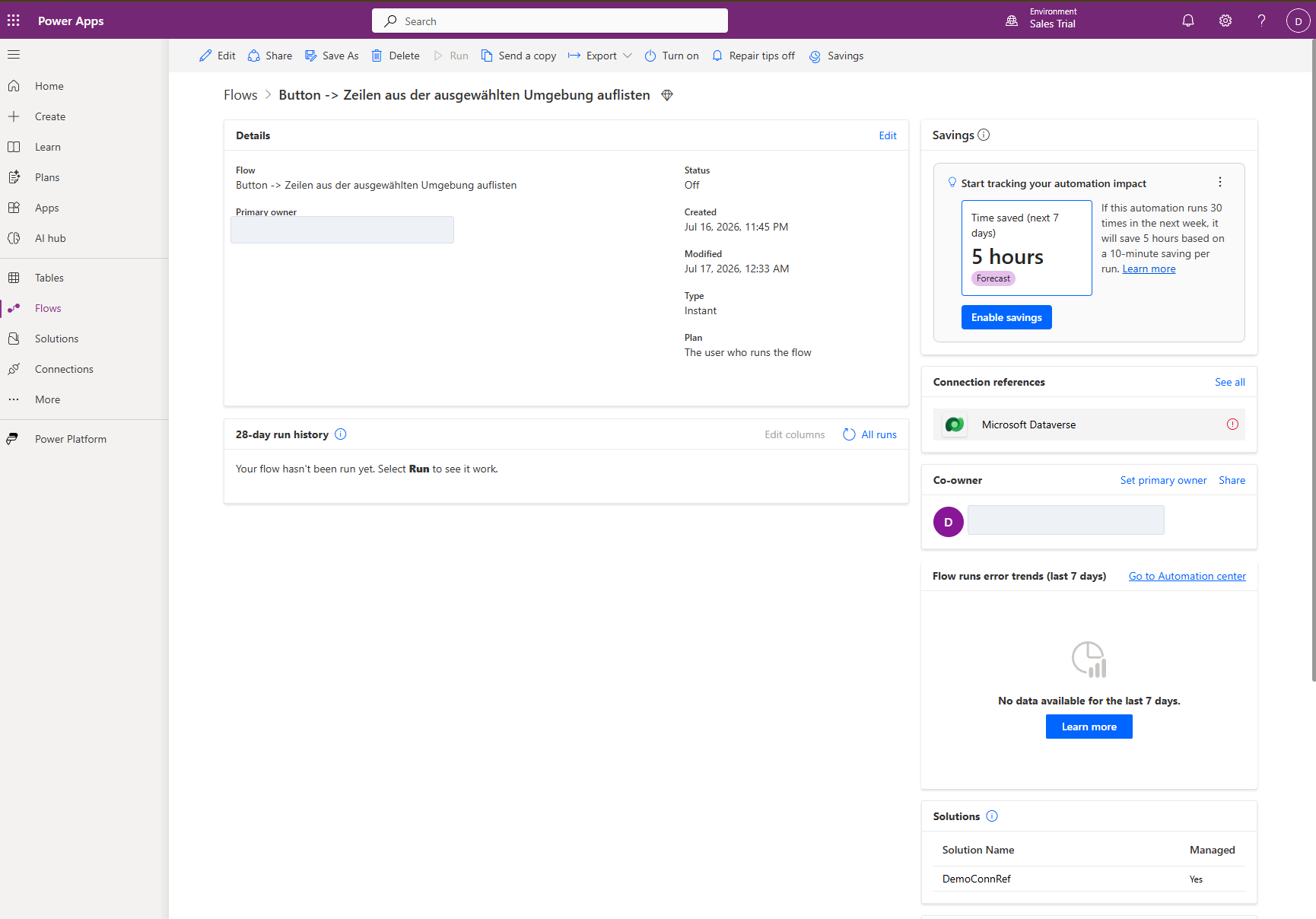
The reflexive conclusion is: “The import forgot the connection.” It didn’t. It deliberately left it behind. To understand why that’s correct, you have to cleanly separate the two things that get thrown into one pot every day.
What actually happens technically
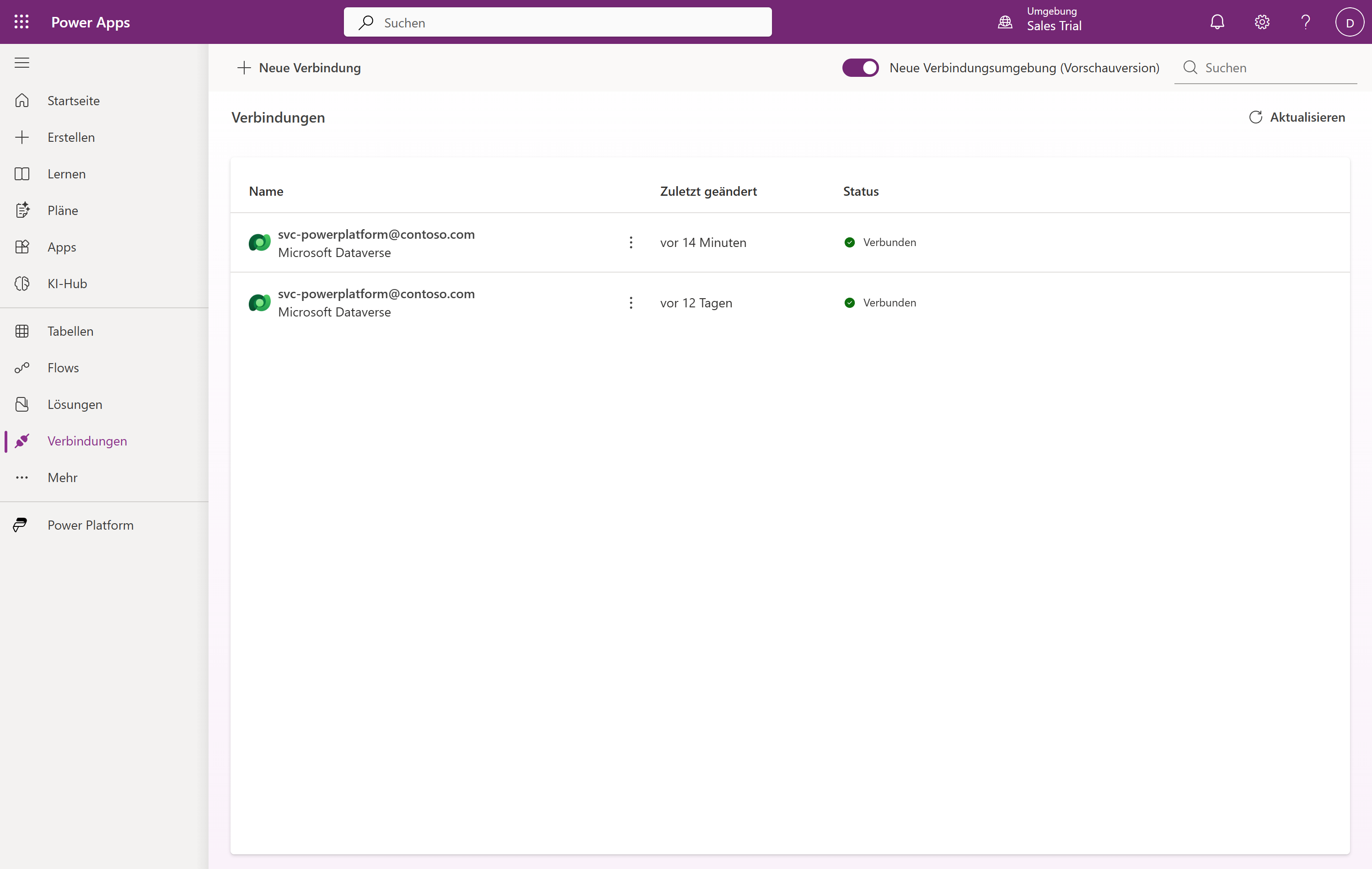
There are two objects, and they live in two completely different worlds.
The connection is the concrete, authenticated link to a service — your Office 365 Outlook access, a specific SQL connection, a Dataverse access. It holds the actual credentials or OAuth tokens, it belongs to a user (or a service principal), and it is bound to exactly one environment. A connection is not a solution component. It is never exported and never carried between environments — for good reason: credentials have no business inside a solution artifact.
The connection reference is a thin intermediate layer: a solution component that acts as a pointer. The flow no longer binds directly to a connection, but to the connection reference — and the connection reference points, per environment, to the connection that exists there. The reference travels with the solution; the connection it points to is reassigned (bound) in every environment.
Flow ──binds to──▶ Connection Reference ──points (per env) to──▶ Connection (credentials)
       (travels in the solution)        (binding per environment)     (stays in the environment)
Before connection references (until ~2020) the flow hung directly on a connection. The export then wrote the Dev maker’s connection into the solution — and in Prod the business process suddenly ran under a developer’s personal account. Connection references break exactly that coupling: flow logic (transportable) is separated from identity and credentials (environment-local).
From that follows the picture in Prod directly: the import brought the connection reference across correctly. Only the binding to a concrete Prod connection is still missing. An empty binding = flow off. That’s not a bug, that’s the contract.
The obvious but wrong fix
Two reflexes — both understandable, both build technical debt.
Reflex 1: Quickly wire it up yourself in Prod. You open the flow in production, create a connection with your own account, bind it, switch it on. Works — until:
- your account changes a password, MFA re-triggers, or you leave the company → the Prod process dies silently,
- the next solution import questions the manual rework again,
- nobody knows anymore under which identity the business process actually runs.
Production on a personal mailbox isn’t a solution, it’s a time bomb with a personal dependency.
Reflex 2: Name connection references per environment — CRM_Dataverse_Dev, CRM_Dataverse_Prod. Sounds tidy, but it’s a thinking error: the connection reference is a solution component with a fixed schema name that travels with the solution. In all environments it’s the same component with the same logical name — only the binding differs. A _Prod suffix in the schema name doesn’t create an environment-specific reference, it creates confusion at best (or, if you do it “properly” wrong, two separate components and double maintenance). The environment lives in the binding, not in the name.
The robust fix reverses both reflexes: identity out of the person, environment out of the name.
The robust fix
Four principles that together make the difference:
- Create connection references explicitly and early. If you build a flow in a solution without setting a connection reference first, the platform auto-creates one — with a cryptic, GUID-laden name like
new_sharedoffice365_a1b2c3. It works, but it’s barely readable in the deployment settings later. Create the reference deliberately first, give it a speaking name, and bind the flow to it. - Don’t hang it on people — service account or service principal. The connection bound in Prod belongs to a dedicated service account, not to you. Where the connector supports it (e.g. Dataverse, many Azure connectors), use a service principal (application user) with client ID/secret or a federated credential — no credentials that expire, no person who resigns. Where the connector only does user auth (SharePoint, Office 365 Outlook), use a licensed service account like
svc-powerplatform@yourdomain— shared in the team, in the password vault, with a documented owner. - Keep the schema name identical across all environments. Dev, UAT and Prod carry the same connection reference with the same logical name. Only then does a deployment settings file map deterministically, and only then is an automated deploy reproducible.
- Automate the binding, don’t click in Prod. Mapping “which reference → which connection” belongs in a deployment settings file or in the pipeline, not in manual rework. Maintained once per environment, then automatic on every release.
And the everyday team question — “should I set this up with special users when I work in a team?” — has a clear answer: Yes. Not as a nice-to-have, but as the foundation. Dev connections may hang on your account; every connection from UAT onward belongs to a service account that isn’t tied to a single person.
Hands-on: from Dev to Prod with the pac CLI
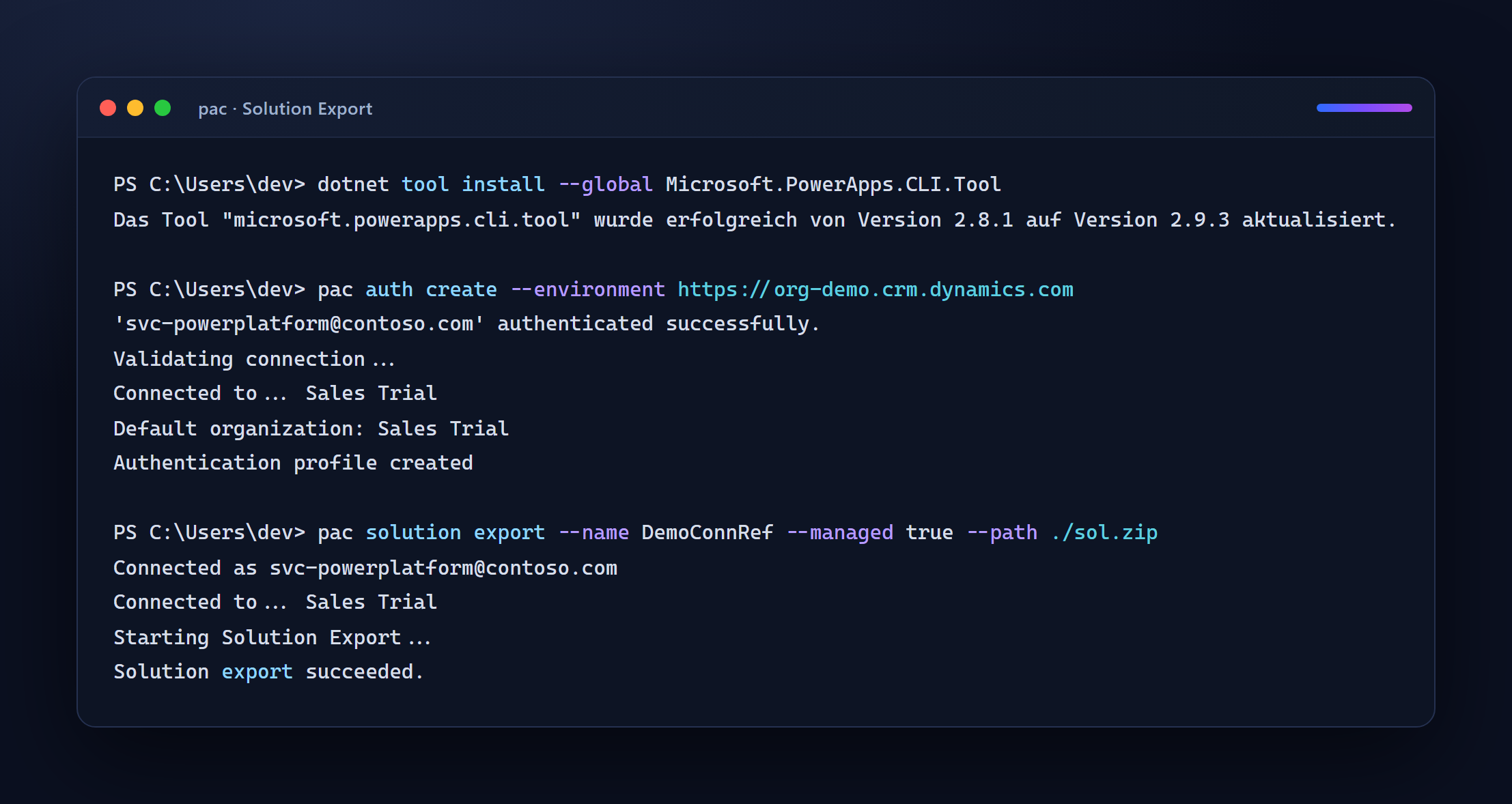
Now the practical part. Goal: export a solution, generate a deployment settings file, enter the connection bindings for the target environment, and import managed. All with the Power Platform CLI (pac).
1. Sign in and export the solution
# Install the CLI (once), if not present yet
dotnet tool install --global Microsoft.PowerApps.CLI.Tool

# Sign in to the Dev environment
pac auth create --name dev --environment https://yourorg-dev.crm4.dynamics.com

# Export managed (a Prod import is always managed)
pac solution export --name CustomerService --managed true --path ./CustomerService_managed.zip
2. Generate the deployment settings file
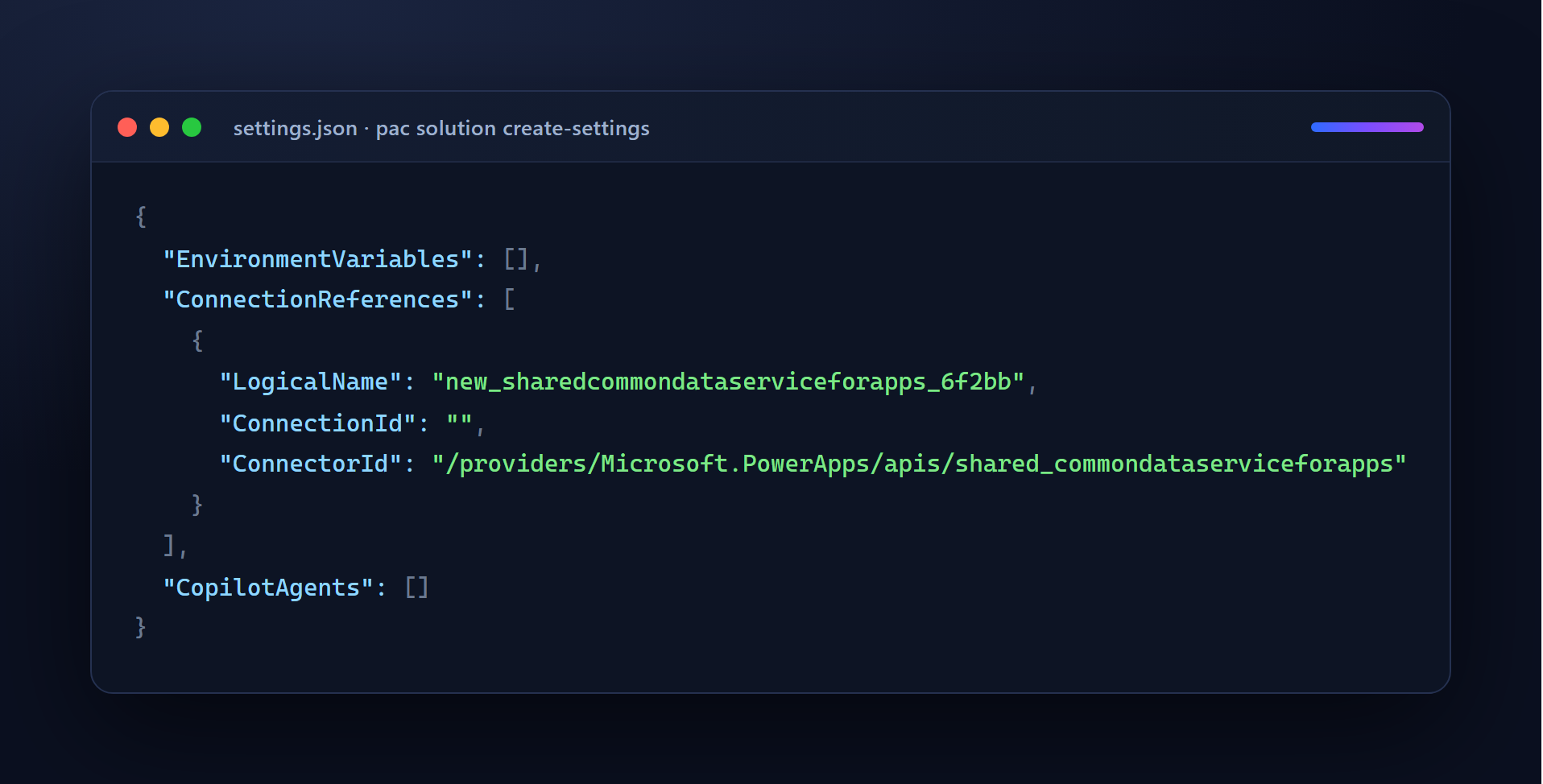
pac reads the solution and writes a template with all connection references and environment variables:
pac solution create-settings \
  --solution-zip ./CustomerService_managed.zip \
  --settings-file ./deploymentSettings.prod.json
Out comes a scaffold with empty connection IDs — that’s the part you fill per environment:
{
  "EnvironmentVariables": [
    { "SchemaName": "wk_ServiceBaseUrl", "Value": "" }
  ],
  "ConnectionReferences": [
    {
      "LogicalName": "wk_dataverse_serviceprincipal",
      "ConnectionId": "",
      "ConnectorId": "/providers/Microsoft.PowerApps/apis/shared_commondataserviceforapps"
    },
    {
      "LogicalName": "wk_office365_servicemailbox",
      "ConnectionId": "",
      "ConnectorId": "/providers/Microsoft.PowerApps/apis/shared_office365"
    }
  ]
}
3. Get the connection IDs of the target environment
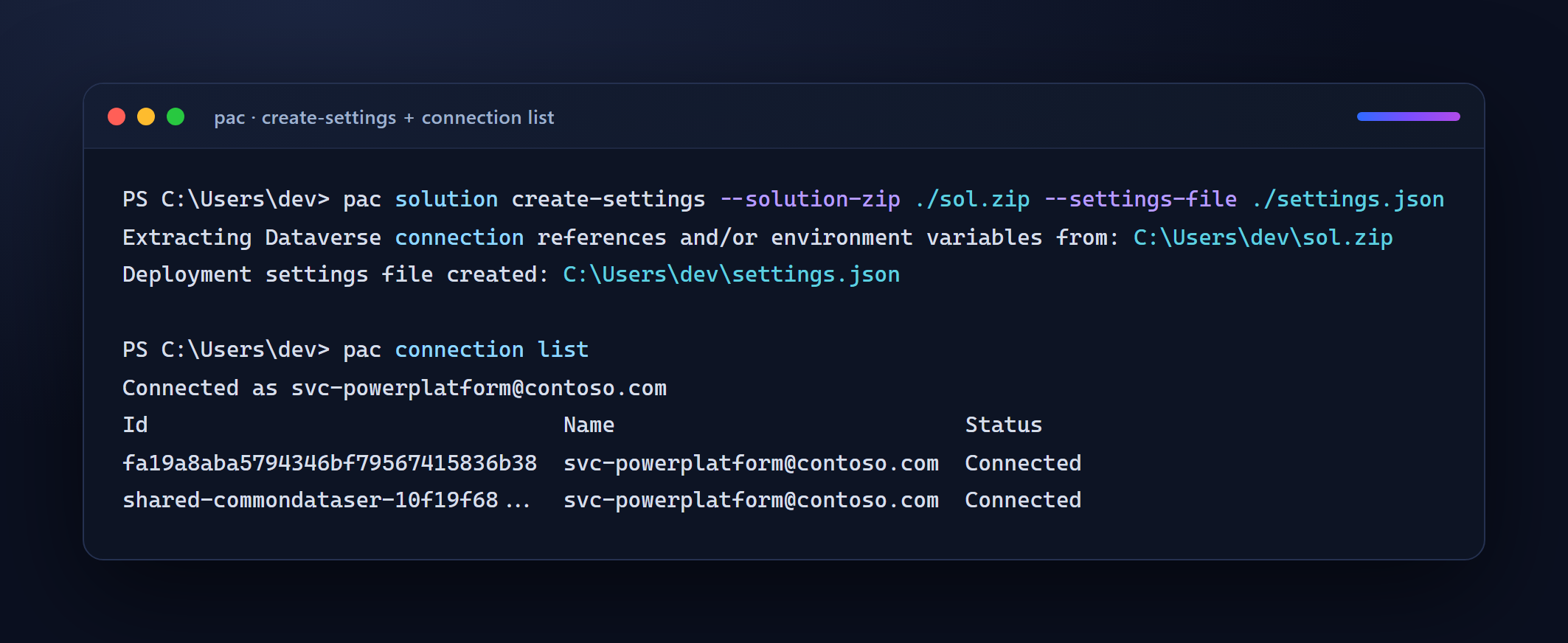
The ConnectionId is an environment-specific GUID — the Prod connection owned by a service account/service principal. Two ways to find it:
# Sign in to Prod and list the connections there
pac auth create --name prod --environment https://yourorg-prod.crm4.dynamics.com
pac connection list
Connection Id Name Connector
------------------------------------ -------------------------------- -----------------------------
7b2f1e94-5c3a-4d21-9f0e-1a2b3c4d5e6f SVC Dataverse (Service Principal) shared_commondataserviceforapps
c9d8e7f6-4b3a-2c1d-0e9f-8a7b6c5d4e3f SVC Shared Mailbox (Outlook) shared_office365Alternatively the GUID is in the URL when you open the connection under make.powerapps.com → Connections. Enter it:
"ConnectionReferences": [
  {
    "LogicalName": "wk_dataverse_serviceprincipal",
    "ConnectionId": "7b2f1e94-5c3a-4d21-9f0e-1a2b3c4d5e6f",
    "ConnectorId": "/providers/Microsoft.PowerApps/apis/shared_commondataserviceforapps"
  },
  {
    "LogicalName": "wk_office365_servicemailbox",
    "ConnectionId": "c9d8e7f6-4b3a-2c1d-0e9f-8a7b6c5d4e3f",
    "ConnectorId": "/providers/Microsoft.PowerApps/apis/shared_office365"
  }
]
4. Import managed — with bindings
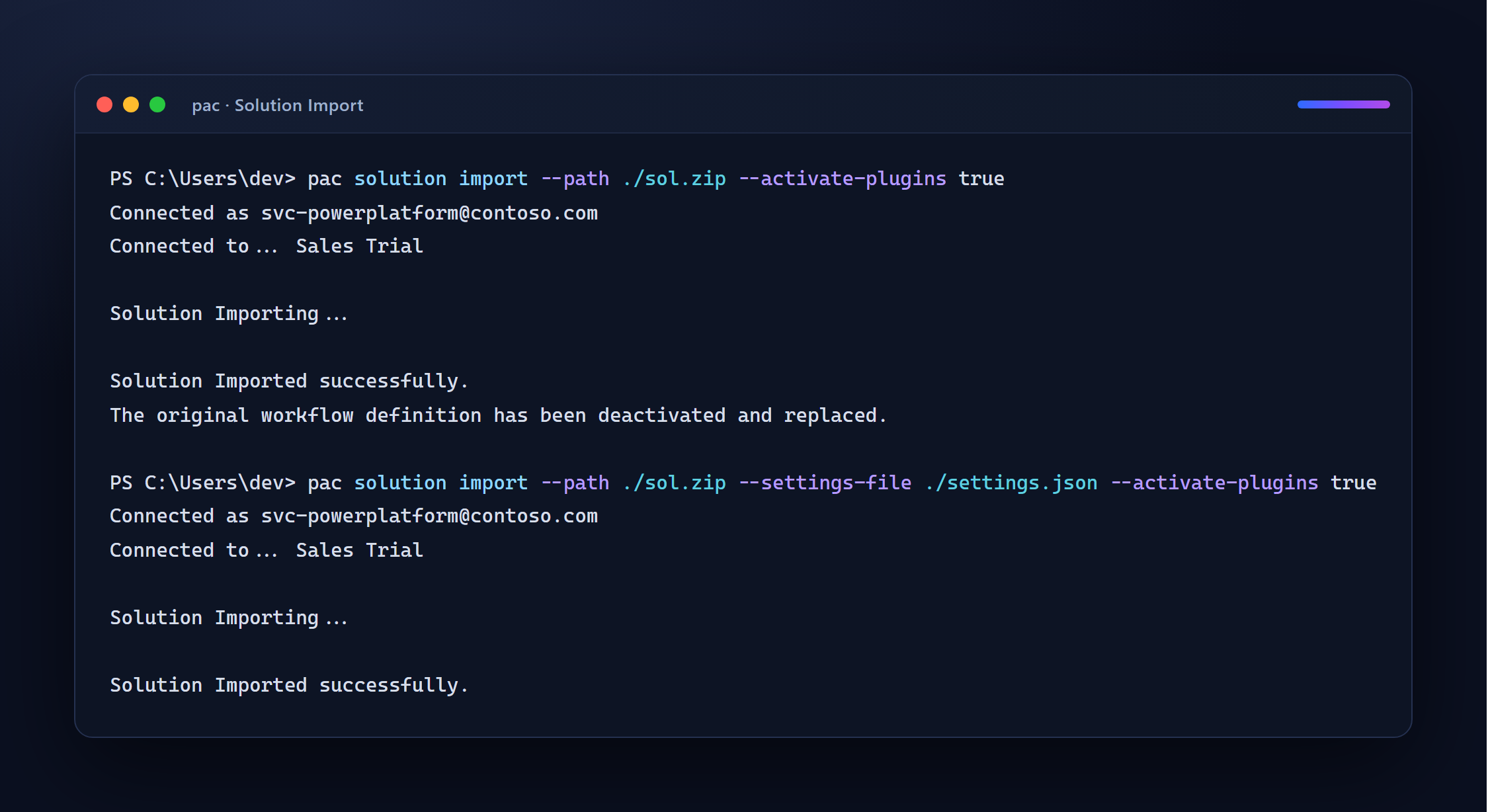
pac solution import \
  --path ./CustomerService_managed.zip \
  --settings-file ./deploymentSettings.prod.json \
  --activate-plugins true \
  --publish-changes true
Success output (trimmed):
Connected to... prod
Solution Importing...
Solution 'CustomerService' imported successfully.
The connection references are now bound, the flow starts without manual clicking. You use the exact same settings file — just with different GUIDs — for UAT (deploymentSettings.uat.json). The rest is identical per environment.
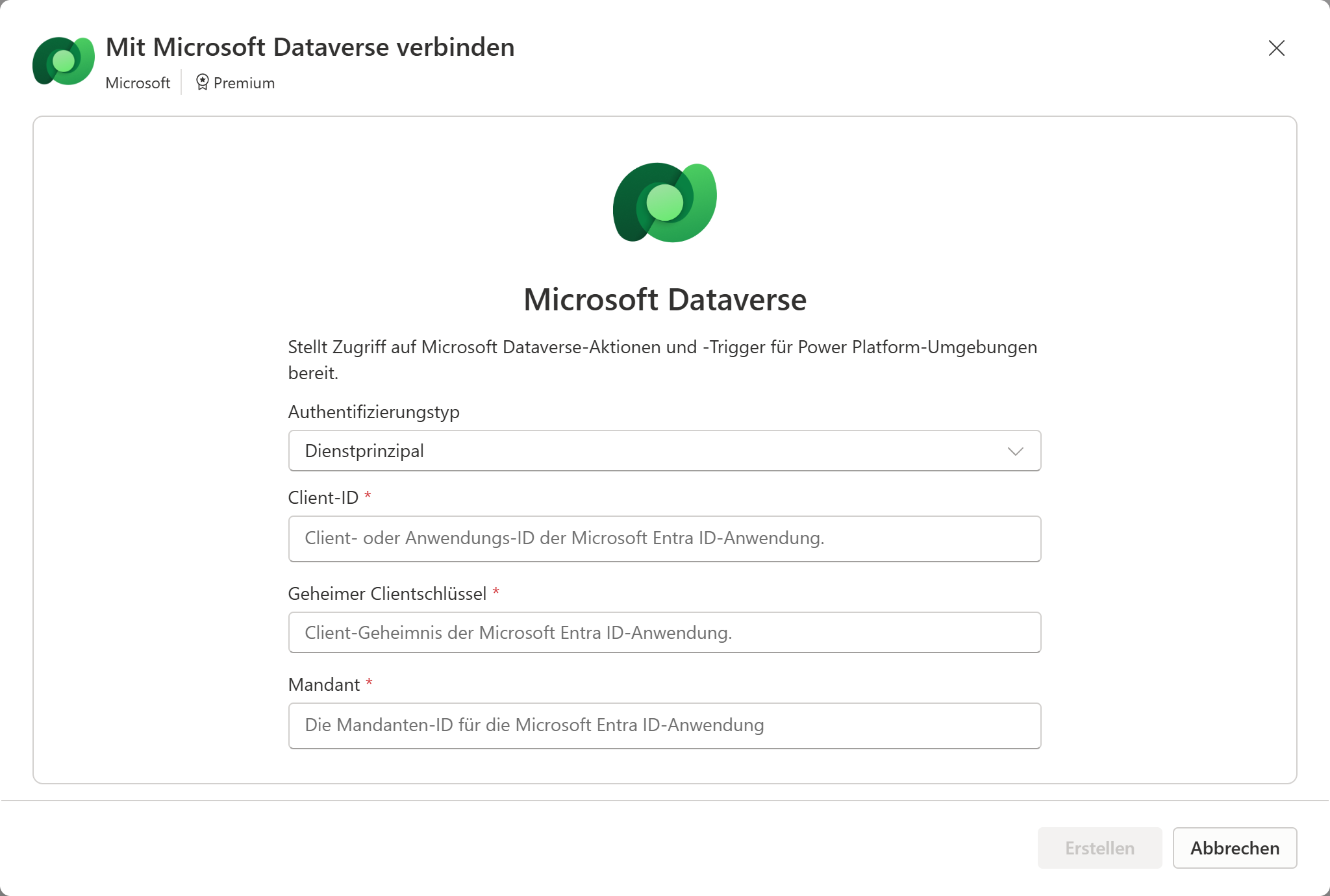
5. Service principal connection for Dataverse (the robust case)
To make principle 2 above real, here is the Dataverse case with a service principal instead of a user:
# 1) Create an application user in the target environment (app registration/client ID assumed)
pac admin application-list                     # check available app registrations
pac admin application register --application-id <app-client-id>

# 2) In make.powerapps.com create a Dataverse connection "Connect with service principal":
#    client ID, tenant ID, client secret. This connection GUID goes into
#    deploymentSettings.prod.json under wk_dataverse_serviceprincipal.
The flow then runs in Prod under the app identity — no password expiry, no personal binding, higher API limits than user accounts. For connectors without SPN support (SharePoint, Outlook) it stays a dedicated licensed service account; the principle “not your own person” still applies.
A naming convention that holds
A pattern that stays readable in deployment settings and encourages reuse:
<prefix>_<connector>_<purpose/identity>| Example | Meaning |
|---|---|
wk_dataverse_serviceprincipal | Dataverse, via service principal (the ALM default) |
wk_office365_servicemailbox | Outlook via the shared service mailbox |
wk_sql_salesdb | SQL connection to the sales database |
wk_sharepoint_projectsite | SharePoint to the project site |
The rules behind it:
- Publisher prefix instead of
new_— set your solution publisher, then the origin is obvious. - Connector + purpose, not the flow name: a connection reference is shared by several flows that use the same identity. Not “one per flow”, but “one per connector-plus-identity”.
- No environment in the name — no
_Dev/_Prod. The environment lives in the binding (step 3), not in the schema name. - Speaking enough for the settings JSON: whoever opens the file six months later must know which connection is meant without looking it up.
Diagnostic and decision checklist
When a flow doesn’t run after the deploy:
- Read the banner — “connection reference … not configured” means: binding missing, not import failed.
- Is there even a matching connection in the target environment? No connection, no binding. Create the connection (service account/SPN) first, then bind.
- Does the
LogicalNamein the settings file match the reference in the solution? A typo = silent non-binding. - Does the connection reference point to a service-account connection — or accidentally to your personal account?
- New flow added? Then there’s a new connection reference → extend the deployment settings file before the next release, otherwise the import tips over exactly that one flow.
When setting up in a team:
- Dev connections may be personal; from UAT on, service accounts/SPN only.
- Service principal where the connector can; otherwise a licensed service mailbox.
- One deployment settings file per environment, versioned in the repo (without secrets!).
Limits and the uncomfortable parts
- Not every connector can do service principal. Dataverse and most Azure connectors yes; SharePoint, Outlook, many SaaS connectors no. There you need a real, licensed service account — including cost and password/MFA management.
- Connection references only exist inside a solution. A flow outside any solution can’t use them — another reason to work consistently solution-based.
- Empty bindings can’t be “pushed in later” if none was ever set. A connection reference that never had a value in the target is set via deployment settings; changing it later is easy, but the first value must exist.
- Delegated deployment (pipelines, since 2024/2025) moves the identity of the deployment itself onto a service principal — the consistent continuation of this pattern, but its own topic: the S2S user needs the Deployment Pipeline Administrator role in the host and System Administrator in the target.
- Environment variables are the sibling concept. What connection references do for identities, environment variables do for configuration values (URLs, IDs). Both live in the same deployment settings file — whoever does one cleanly usually does the other too.
In short: the empty flow in Prod isn’t a defect, it’s the point where it shows whether your identities are cleanly separated. Separate logic from credentials, hang Prod on a service account instead of on yourself, keep the names stable and the binding automated — then “This flow is turned off” is a riddle for the last time and a checklist from then on.
State of programs, roles and CLI commands: July 2026. Microsoft changes connector capabilities and pipeline features regularly — when in doubt, check the relevant Learn page.