
 AI & Agents·20 July 2026·8 min read
 Power Automate without portal clicking: build, test and fix flows autonomously with Claude
Anyone who works a lot with Power Automate knows the ritual: open the portal, pick the right Environment, find the flow, load the Designer, click through it step by step, test, hunt through the run history for the red run, find the broken action, fix it, run it again. Every step a click, every context switch a tab. For a single flow that’s fine. For the tenth one in an afternoon it isn’t.
Microsoft recently published an official answer to this: the repo microsoft/power-platform-skills — a plugin marketplace for Claude Code and the GitHub Copilot CLI. The power-automate plugin it contains, powered by the FlowAgent MCP, lets an AI agent create, surgically edit, run and diagnose runs of cloud flows — entirely from the terminal. We put it through its paces on a real Dataverse trial environment. This article shows the setup, the environment handling and the practice — including the uncomfortable parts.
What the package really is
Not a new portal, but an MCP server that hooks into your existing AI client. The FlowAgent is a self-contained Node module (Node 18+, no external dependencies) and talks to the Power Platform endpoints directly. What you get afterwards is a whole workbench:
- Flows: list, fetch, create, edit (at the action level), copy (including across environments), publish/deactivate, delete.
- Runs: history, details, individual actions,
cancel/resubmit, diagnosis of failed runs. - Connections & Environments: manage, environment routing, desktop flows.
You operate it not with clicks but with language: “Build me a flow that …”, “run it”, “why is the last run red?”. The agent translates that into the matching tool calls.
Setup: configure it once
The plugin lives in your AI client. In Claude Code it’s two lines:
/plugin marketplace add microsoft/power-platform-skills
/plugin install power-automate@power-platform-skills
Then restart Claude Code once — the MCP server is registered at startup, /reload-plugins alone isn’t enough for that (that was our first stumbling block).
For authentication the FlowAgent uses the Azure CLI. Power Platform doesn’t need an Azure subscription, only the tenant context — so a tenant-wide login is enough:
az login --allow-no-subscriptionsSign in with the account that has access to your Power Automate environment. A quick preflight confirms that the token really is valid for Power Automate:
az account get-access-token --resource https://service.flow.microsoft.com --query expiresOn -o tsvIf an expiry date comes back here instead of an AADSTS error, the connection is up.
Environment routing: where do the flows end up?
The first real step: tell the agent which Environment it should work in. Because flows are always bound to an environment.
You: Which Power Automate environments do I have?The agent calls list_environments and gets the environments back (in our case a “Sales Trial” with Dataverse and the Default environment). One sentence is enough to fix the target environment — from then on all calls go there:
You: Use the Sales Trial environment as the default.Internally that sets set_current_env. Important: the run history (more on that shortly) only comes from Dataverse environments — the plain Default environment provides no history via this route.
Building a flow — and deliberately breaking it
Now the core. We have the agent build a simple flow: a manual trigger, then a Compose action that does some arithmetic. The agent turns that into a complete flow definition and creates it with create_flow — no click in the portal.
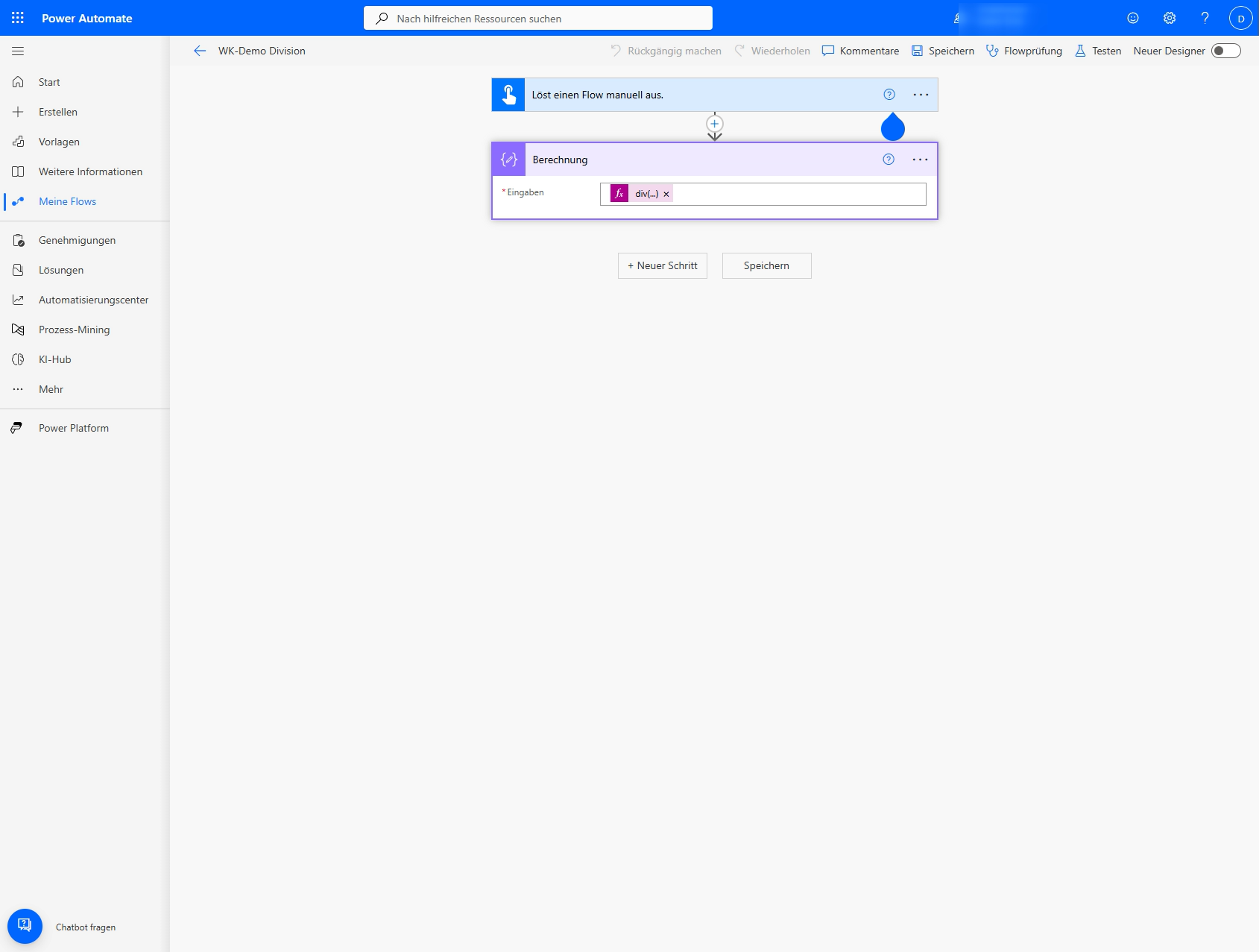
To give the next stage something to do, we deliberately make the calculation fail via division by zero. One call to run_flow (waiting for the result) — and the run immediately flips to Failed, action Berechnung, error code InvalidTemplate.
The agent reads the run history via get_run_details, names the broken action and the reason, and then applies a surgical fix: only that one expression is corrected (div(100, 0) → div(100, 4)), the rest stays untouched. Another run_flow — and the run is green.
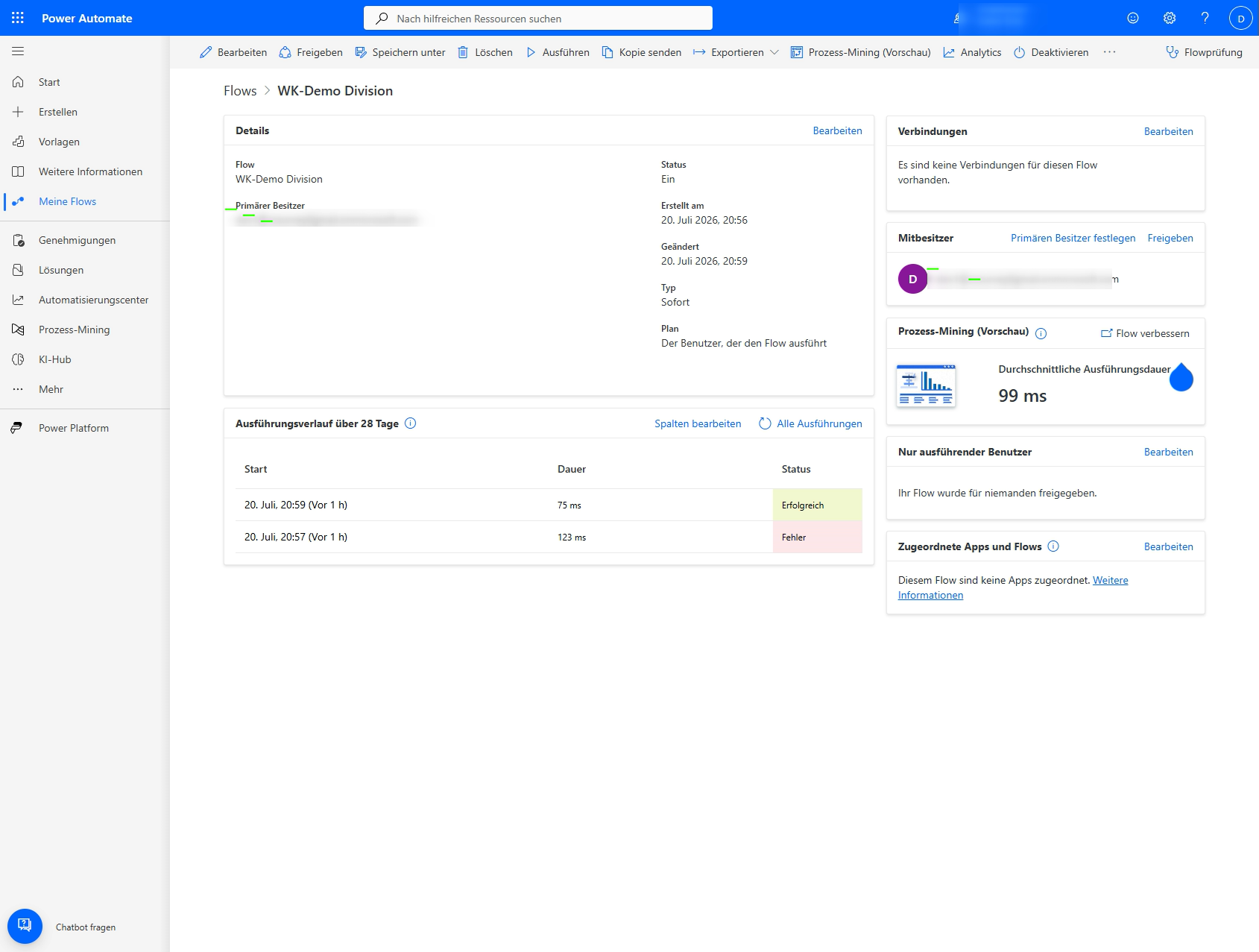
That’s the whole loop — build → run → read the error → fix it precisely → green — and not a single click in the Designer.
More than one line: a flow with a Condition
A Compose only proves it works. It gets interesting with real logic. We had the agent build the business flow Urlaubsantrag prüfen (review leave request) step by step — and watched: first just the trigger, then Antragstage ermitteln (Compose) is added, then a Condition Genehmigung nötig that checks whether the determined request days exceed 10, and finally the two branches — the yes branch for the manager’s approval, the no branch auto-approved. In the Designer step appears after step while the agent grows the flow via the FlowAgent tools.
The chat behind the video
This is exactly how the flow above came to be — an excerpt from the Claude Code session that built it step by step. Every line with ⏺ is a real tool call of the power-automate plugin, every line with ⎿ the response:
# 🧑  You
#  "Build a flow 'Urlaubsantrag prüfen' in the Sales Trial environment: a manual
#   trigger, calculate the request days, from 10 days on approval by the manager,
#   otherwise automatic — and build it up step by step."

# 🤖  Claude
#  Sure. I'll start with just the trigger and then add Compose, Condition
#  and the two branches — piece by piece.

⏺ create_flow    name="Urlaubsantrag prüfen"   trigger="manual"
  ⎿ angelegt · id 8d4dae3e · 1 Trigger, noch keine Aktion

⏺ update_flow    + Compose   "Antragstage ermitteln"  = 12
  ⎿ ok · Trigger → Compose

⏺ update_flow    + Condition "Genehmigung nötig":  outputs('Antragstage ermitteln') > 10
  ⎿ ok · Verzweigung eingefügt

⏺ update_flow    + Wenn ja:   "Vorgesetzten Freigabe"
                 + Wenn nein: "Automatisch genehmigen"
  ⎿ ok · Flow vollständig · Validierung grün

# 🤖  Claude
#  Done. Four steps, one coherent flow — exactly the structure
#  you see growing in the Designer above.
The run correctly takes the yes branch (order value above the threshold), the no branch is cleanly skipped. Anyone who has ever clicked a Condition together in the portal — pick the expression, operator, value, then fill the two branches — knows how many clicks that saves.
The bird’s-eye view: everything from the editor
Because every step is a tool call, a searchable, repeatable inventory arises along the way. The agent can run list_flows over the environment at any time and show what’s there — including the flows it just created itself.
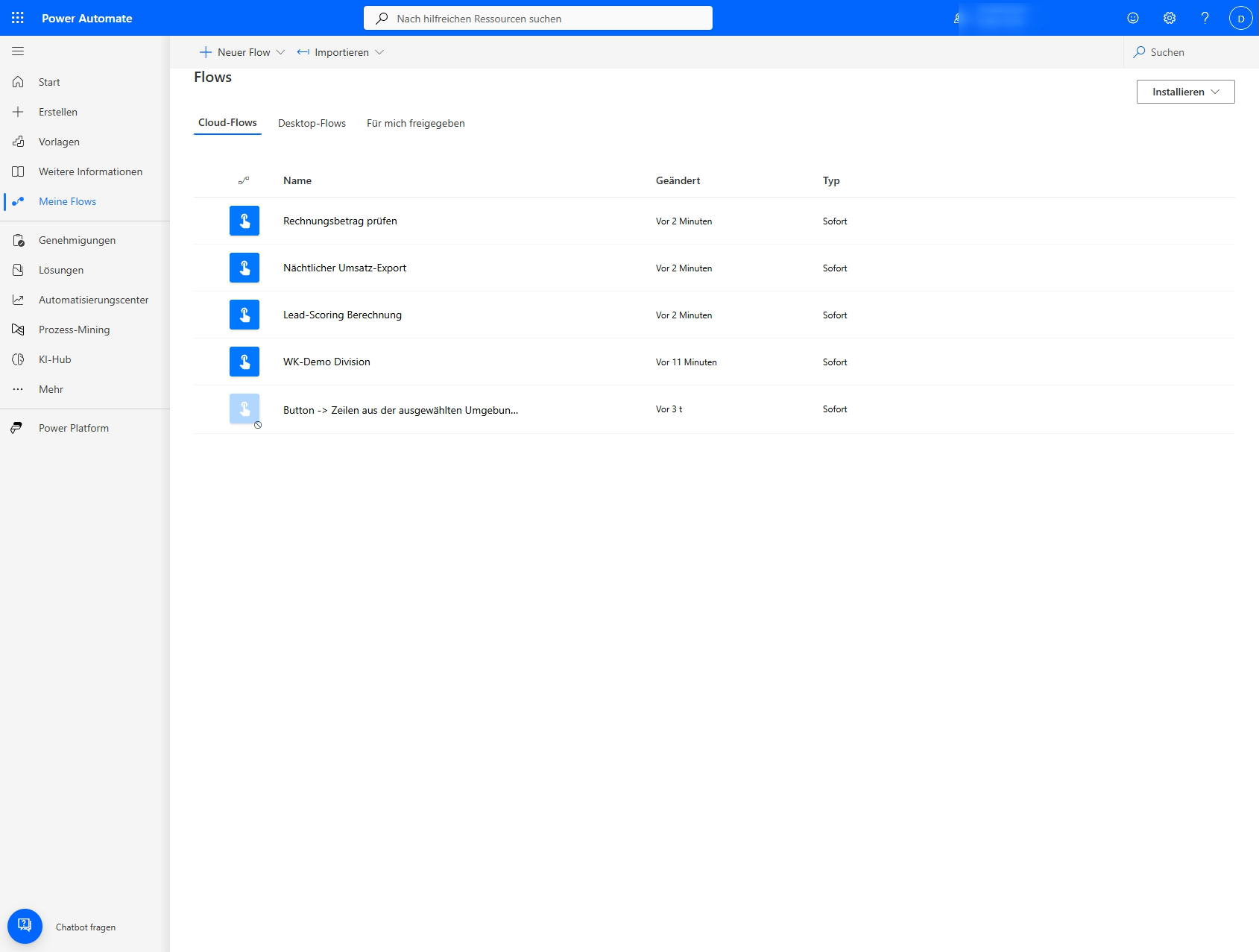
What exactly was in use here
So that this is traceable — and reproducible — here is the concrete stack behind the video:
- Host: Claude Code in the terminal. The FlowAgent is an MCP server; other MCP-capable clients (e.g. GitHub Copilot) address the same tools.
- Plugin:
microsoft/power-platform-skills, the power-automate plugin — installed via/plugin install power-automate@power-platform-skills. Plus the skills/setup,/browse-flows,/create-flow,/debug-flow. - Auth: an Azure access token (
az account get-access-token) for the Flow and BAP endpoints; the environment was a free trial.
The MCP tools that were used for exactly this flow:
list_environments/set_current_env— pick the environment (the environment routing from above)create_flow— create the flow with the triggerupdate_flow— add actions: Compose, Condition, the two branchesget_flow/set_current_flow— read the definition, set the working contextrun_flow— trigger the test runget_run_history/get_run_details— read runs and error details (the basis for the red-→-green fix)list_flows— show the environment’s inventory
Each of these lines is a tool call — exactly the ones marked with ⏺ in the terminal excerpt above.
Limits and honesty
A tool in a real test shows its rough edges too. So you don’t fall into the same holes:
- Two plugin bugs (version 2.0.0).
diagnose_runandedit_flowthrew… is not a functioninternally for us. No big deal:get_run_detailsprovides the same diagnostic basis, andupdate_flowreplaces the whole definition instead of just one action. The loop above ran through completely with that. - The new flow Designer sometimes goes on strike. When opening individual flows we got “Couldn’t load flow in the new designer environment”. The toggle to the classic Designer view renders everything cleanly.
- Run history needs Dataverse. Via the flowRuns route, only Dataverse-backed environments provide a history; a plain Default environment doesn’t.
- Multi-tenant trap at login. If you have several
azaccounts (several tenants) signed in at once, you may find that some calls end up in the wrong (home) tenant. The cleanest cure: keep only the desired account signed in. - No login magic. The agent doesn’t sign you in to third-party services; you have to provide the auth (az/MSAL) and the appropriate licenses up front.
Conclusion
The exciting thing isn’t that an agent can build one flow — that’s a trick. What’s exciting is that creating, editing, running and diagnosing happen in the same conversation, versioned and repeatable, with no context switch into the click-through portal. For everyone who practices Power Automate not as a hobby but as a craft, the official Microsoft plugin shifts the work to where developers already are: into the editor.
The code is open: github.com/microsoft/power-platform-skills — the power-automate plugin sits under plugins/power-automate.